- 04-06-2020
- 17:00
- timer 3 minutes
What is scan and recognise software?
Scan and recognise software supports companies throughout the entire process of digitally processing purchase invoices, sales invoices, receipts and other documents. Scan and recognise software automatically reads relevant data from an invoice. With a purchase invoice, for example, the invoice number, the supplier and the total amount including and excluding VAT are recognised. Based on this, an automatic booking suggestion is made so that the invoice is processed correctly in the accounts. Processing purchase invoices, sales invoices and receipts therefore goes much faster.
What is scan and recognise software
Scan and recognise software supports companies throughout the entire process of digitally processing purchase invoices, sales invoices, receipts and other documents. Often following these steps:
Step 1: Submitting the documents
First, all documents that need to end up in the accounts, such as invoices (paper, PDF, e-invoice), receipts, delivery notes and orders, come together in one system. This can usually be done in various ways:
- By email
In most cases scan and recognise software has its own email address to which you can easily send the documents.
Tip:
Ask suppliers to send invoices to this email address, then you no longer have to keep track of this in your own email.
- Mobile app
It is also often possible to scan and upload documents via a mobile app. This is very handy for receipts, for example. You take a photo of the receipt with your mobile and it then automatically ends up in the system.
- Manual upload
Of course it is also always possible to upload the documents to the system manually.
Step 2: Recognising and booking documents
Second, the documents and/or invoices are recognised automatically. Scan and recognise software automatically reads relevant data from an invoice. With a purchase invoice, for example, the invoice number, the supplier and the total amount including and excluding VAT are recognised. Based on this, an automatic booking suggestion is made so that the invoice is processed correctly in the accounts. OCR technology is often used here. OCR stands for Optical Character Recognition (reference to terms).
Step 3: Authorising
Third, most scan and recognise software has the option to set up an authorisation workflow. This means that certain invoices and/or documents can be approved digitally by the right employees. This can often be done handily with a mobile app too.
Step 4: Digital archive
Finally, the approved invoices and documents are stored automatically in a digital archive.
What are the benefits of scan and recognise software?
Scan and recognise software brings various benefits. The most important ones are below:
Never lose an invoice again
Because all documents are stored automatically in an online archive, you can easily find and view your documents anywhere.
Save time and money
The scan and recognise software takes a lot of work off your hands and therefore saves a lot of time and, as a result, money:
- Thanks to the authorisation workflow, invoices automatically reach the right employee.
- You no longer have to enter data manually in a system, because the software does this for you.
- By integrating your scan and recognise software with your accounting software, the invoice is automatically processed to the right general ledger account.
Fewer errors
The software recognises all the relevant information for you, so you no longer have to enter data manually. This greatly reduces the risk of making mistakes.
Search, compare and select software
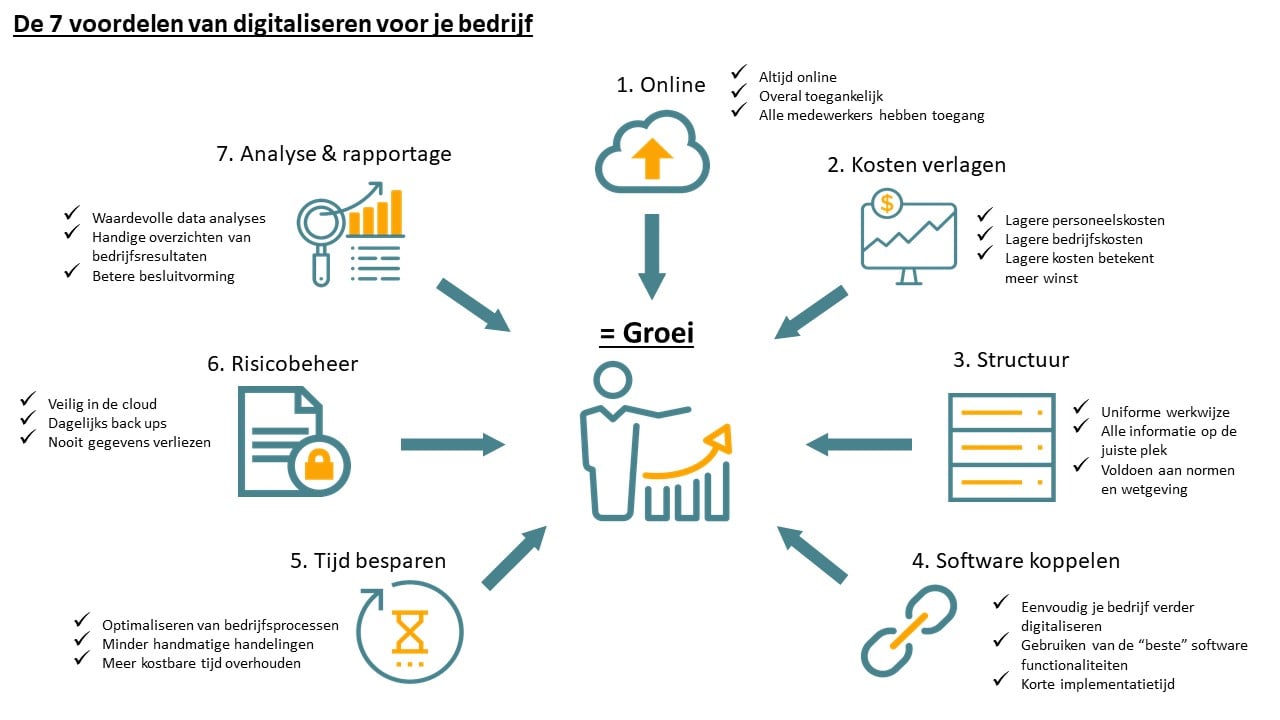
Are you convinced of the added value of scan and recognise software? Are you curious which software suits your business? Or do you want to integrate software to digitise your business further? Then click the "compare invoice processing software" button below and compare all scan and recognise software.
Would you like help finding a suitable software system? Then start the software selection tool with the “start software selection” button below, select the invoice processing features relevant to your business and find the software that suits your business.
If you still can't work it out, please contact us or call us, we will gladly help you find the right business software for your business.
Software advice from SoftwareWatcher
Do you need advice on the best software? Get in touch now and we will draw up a list of the best software for your organisation.
Non-binding and without obligation