Bookkeeping
Bookkeeping in Excel: when should you switch to accounting software?
Bookkeeping in Excel: what it must contain, a free cash book with VAT per quarter, where Excel falls short and what accounting software costs.

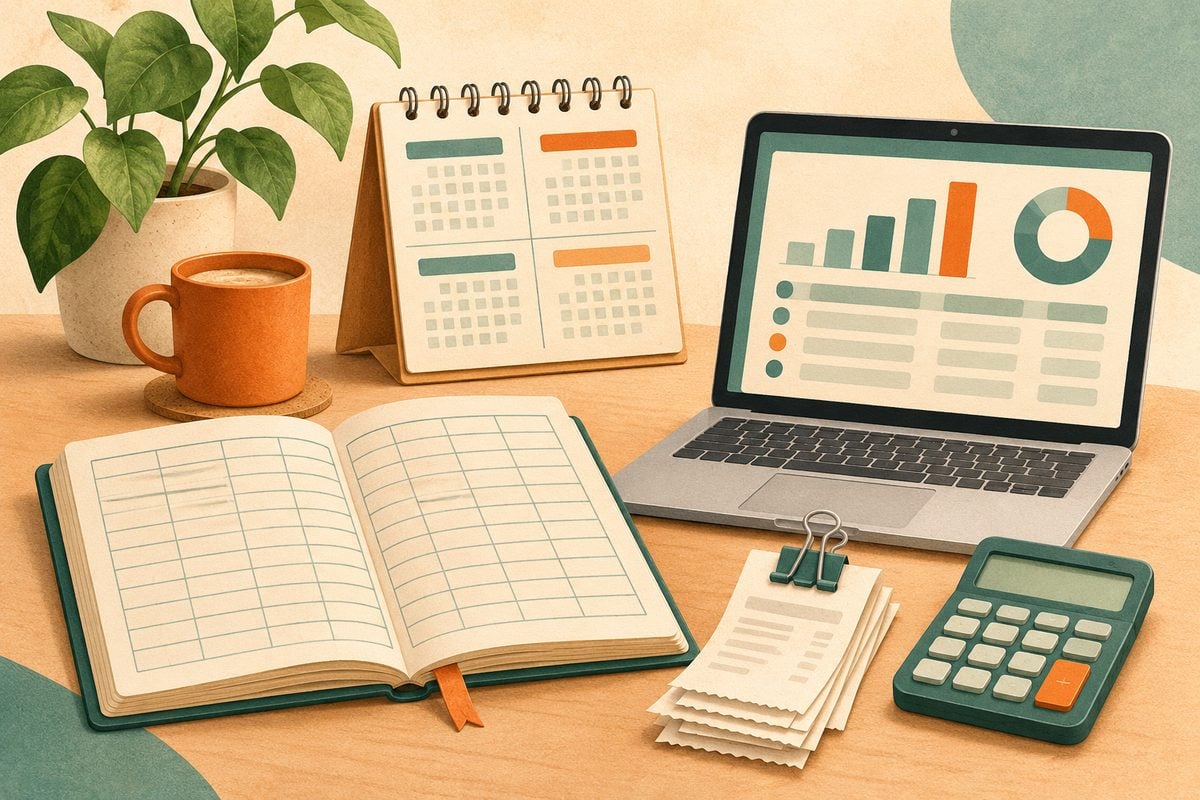
You are allowed to keep your books in Excel, as long as they are complete and you keep them for seven years. We show which columns your cash book needs, give you a free template with VAT per quarter and set out when accounting software is worth it.
Bookkeeping in Excel: the short answer
Yes, you may keep your books in Excel or Google Sheets. The law does not prescribe accounting software; your records must, however, be complete and verifiable, and you keep them for seven years. For a start-up or freelancer with a handful of invoices a month, a well-designed cash book is enough. It gets difficult as soon as you have dozens of bank transactions every month, your invoices also come out of Excel or you piece your VAT return together by hand. Then accounting software saves time and mistakes. A simple package costs from €0 to about €22 a month; on 16 November 2026 we checked the prices of four packages. This article is written for business owners in the Netherlands.
What must your bookkeeping contain?
Whether you use Excel or software, the Dutch Tax Administration wants you to be able to show what came in and what went out, and which VAT belongs to it. For a sole proprietorship or small private limited company, that comes down to:
- Income: your sales invoices and other receipts, with date, customer, amount and VAT.
- Expenses: your purchase invoices and receipts, with date, supplier, amount and VAT.
- Bank and cash: the statements, so every line in your cash book can be traced.
- VAT per quarter: the VAT you charged, minus the VAT you paid. You pay over the difference.
- Assets and liabilities: such as a laptop or van that you depreciate, and outstanding invoices.
You keep all records for seven years, including invoices you receive as PDFs. If your turnover is below €20,000 a year and you use the small businesses scheme (KOR), you do not charge VAT and do not file VAT returns. You do still keep track of your income and expenses.
Setting up a cash book in Excel
Start with a single tab in which every receipt or payment is one row. These are the columns you need:
| Column | What you enter |
|---|---|
| Date | The date on the invoice or receipt |
| Description | For example "invoice 2026-014 Bakkerij De Vries" or "laptop" |
| Type | Income or expenses |
| Category | For example turnover, purchases, software, travel expenses, telephone |
| Amount including VAT | The amount you received or paid |
| VAT rate | 21, 9 or 0 per cent |
| VAT | Amount times rate divided by 100 plus rate: the formula does the work |
| Amount excluding VAT | Amount minus VAT |
| Invoice number | The number on the invoice, so you can find it again |
| Quarter | Calculated from the date, for the VAT return |
On a second tab you add up per quarter: turnover excluding VAT, the VAT on your sales and the VAT on your purchases (input VAT). The difference is what you enter in the return. You can download our cash book with VAT overview: a template with fictitious examples in which the VAT and the overview per quarter are already calculated.
Also put a fixed appointment in your diary, for example every first Monday of the month, to put your bank statement next to the cash book. Every line at the bank should have a line in your cash book.
Where Excel falls short
A cash book works as long as the numbers are small and you keep it up to date. In practice, this is where it goes wrong:
- Copying everything by hand: you retype every bank transaction. Accounting software imports them through a bank link and suggests the entry.
- Invoices and bookkeeping kept apart: if you make your invoices in Word or Excel, you keep track of the numbering yourself and enter every invoice again in your cash book. Software creates the invoice and the entry in one go, and sees when it has been paid.
- Errors in formulas: one shifted row or an overwritten formula, and your VAT overview is wrong. You only notice when the Tax Administration starts asking questions.
- Lost receipts: the cash book says you bought a laptop, but the invoice is in your mailbox or gone. In software you attach the PDF or photo to the entry.
- Working with an accountant: an accountant prefers to work in a package rather than in your spreadsheet, and often charges more hours for sorting things out.
If you recognise two or more of these points, or you have more than about twenty bank transactions a month, it is time to switch.
What does accounting software cost?
Four packages with a free or low-cost entry plan, with the prices as the supplier shows them on its own website on 16 November 2026. All amounts are per month and exclude VAT. An overview of more packages is in what does accounting software cost.
| Package | Cheapest plan | What to look for | Source |
|---|---|---|---|
| Tellow | Free; Basis €12.99 | The free version works with Tellow's business account; Basis has no limits on bookkeeping and banking | prices |
| Moneybird | Compact €3 and Start €15 billed annually | Compact is meant for small or inactive accounts; Start for freelancers and start-ups. Monthly billing costs more | prices |
| e-Boekhouden.nl | ZZP €9.95; €4.98 in the first year | ZZP has a maximum of 240 entries per financial year; invoicing is included | prices |
| Jortt | ZZP €21.95, or €19.95 billed annually | Only for sole proprietorships; a welcome offer gives 30 days free, then three months at a discount | prices |
Think of it this way: if keeping your cash book takes you two hours a month and a package saves you half of that, an hour of your time is soon worth more than the subscription.
How to switch from Excel to accounting software
- Choose a moment: the start of a quarter or financial year is easiest. You then do the VAT return for the previous quarter from Excel and start the new quarter cleanly in the package.
- Carry over the opening balance: the balance on your bank account, outstanding invoices from customers and suppliers, and assets you depreciate.
- Link your bank: most packages import transactions through a PSD2 link. Check that your bank is supported.
- Move your invoice template: with your logo, details and the next invoice number, so the numbering continues.
- Keep your Excel file: it is your record of the period before, and also falls under the seven-year retention requirement.
Try a package first during the trial with one month's transactions. You will soon see whether the bank link and the suggested entries work as you expect. You can compare all packages on the page with accounting software.
Frequently asked questions about bookkeeping in Excel
Are you allowed to do your bookkeeping in Excel?
Yes. There is no legal obligation to use accounting software. Your records must, however, be complete, so that the Tax Administration can check your income, expenses and VAT, and you keep all records for seven years.
Can I do my VAT return from Excel?
Yes. Per quarter you add up the VAT on your sales and the VAT on your purchases, and enter those amounts in the return on the Tax Administration's website. Accounting software calculates the return and, in most packages, can also file it directly.
When do you need accounting software?
There is no fixed limit. A rule of thumb: if you have more than about twenty bank transactions a month, you also make your invoices in Excel or Word, or you work with an accountant, software saves you time and mistakes.
Is there free accounting software?
Tellow has a free version, and Jortt has a free Starter plan for invoicing without bookkeeping. Read in free accounting software what is really free and where the limits are.
Is Google Sheets fine too?
Yes, for a cash book Google Sheets works just as well as Excel. You can open our template in Google Sheets. Make sure you do not share the file with more people than necessary, and keep a copy.